
SetState feels broken
React handles state updates internally—why setState is asynchronous, how batching works, and why your state sometimes feels “wrong”.
🧩 Introduction

That line is funny.
But it’s also technically accurate.
👉 Because React does NOT update state immediately.
And that’s where confusion starts.
⚠️ The Biggest Misconception
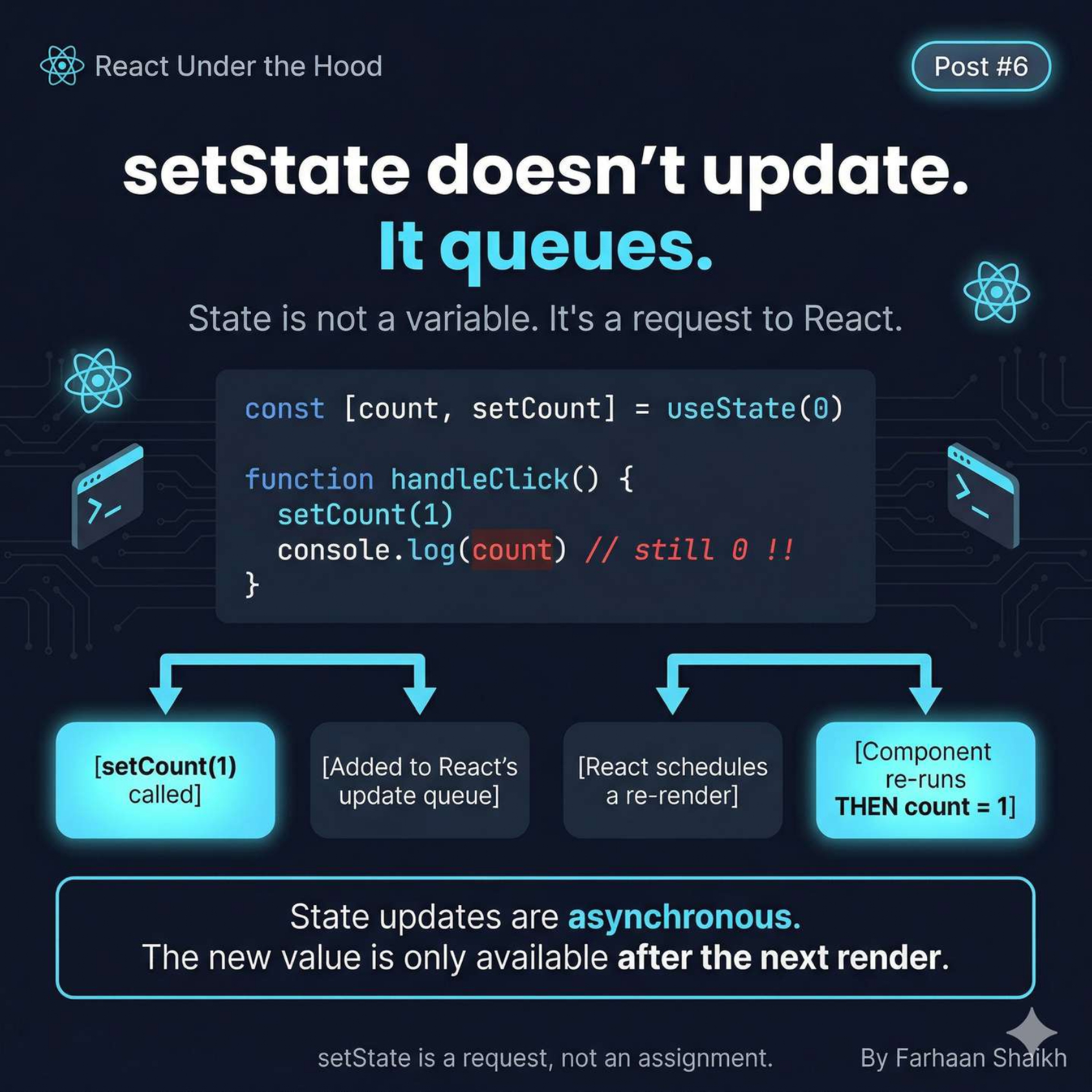
Most developers think:
javascript
setCount(1);
console.log(count); // should be 1?
But React says:
👉 “Nope. Still 0.”
Why?
Because:
👉 State is not a variable
👉 It’s a request to React
What actually happens:
- You call setCount(1)
- React adds it to a queue
- React schedules a re-render
- THEN state becomes 1
👉 So the new value exists only after the next render
🧠 Core Mental Model
👉 setState = enqueue update, not assign value
If you remember just this:
You’ll avoid 50% of React bugs.
⚙️ React Is In Control (Not You)
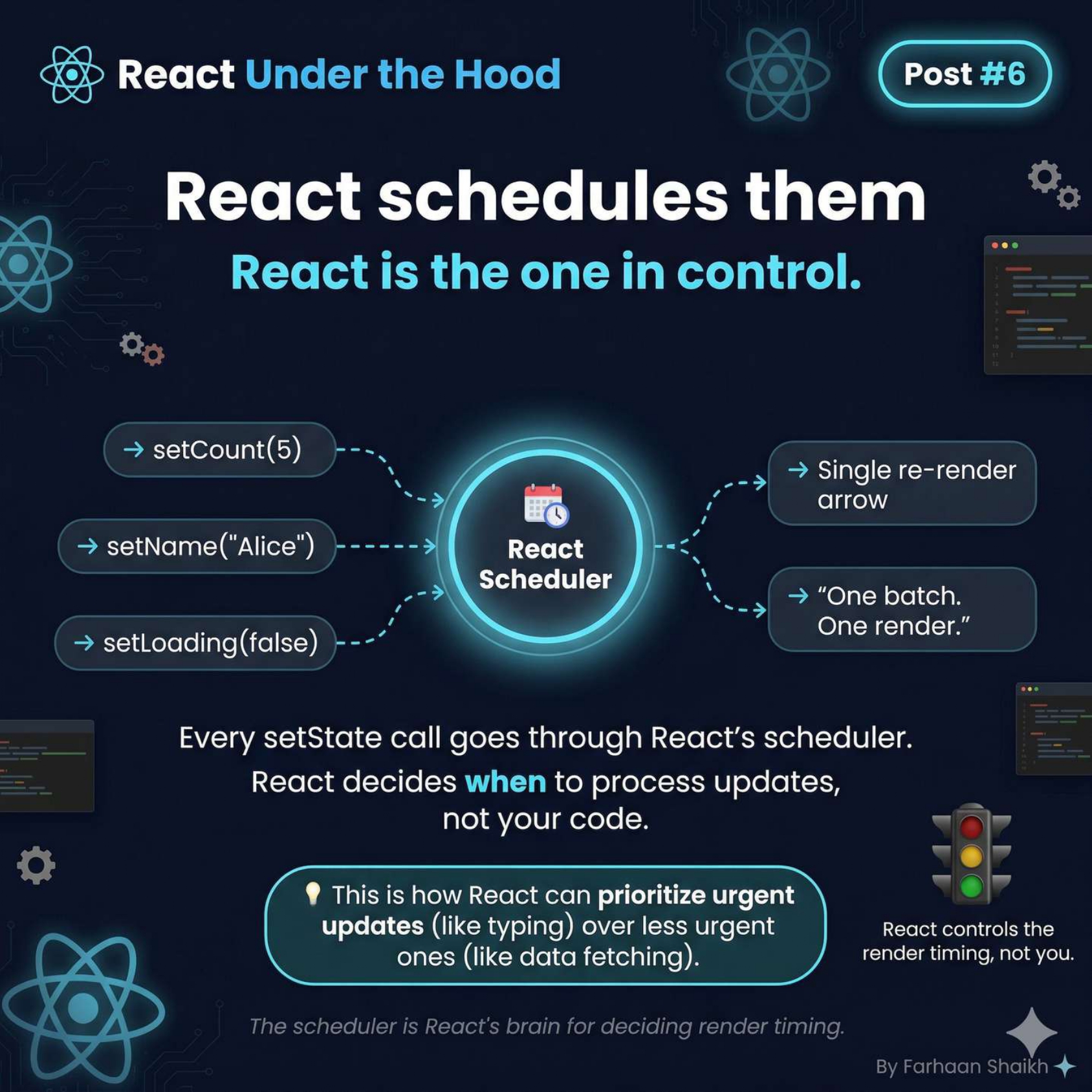
You might call:
javascript
setCount(5);
setName("Alice");
setLoading(false);
But React doesn’t immediately execute them.
👉 All of them go through something called:
🧠 React Scheduler
What it does:
- Collects updates
- Prioritizes them
- Decides timing
👉 Example from the diagram:
- Urgent → typing
- Less urgent → data fetching
👉 This is why React feels “smart”
Because it is.
🔥 Batching — The Superpower
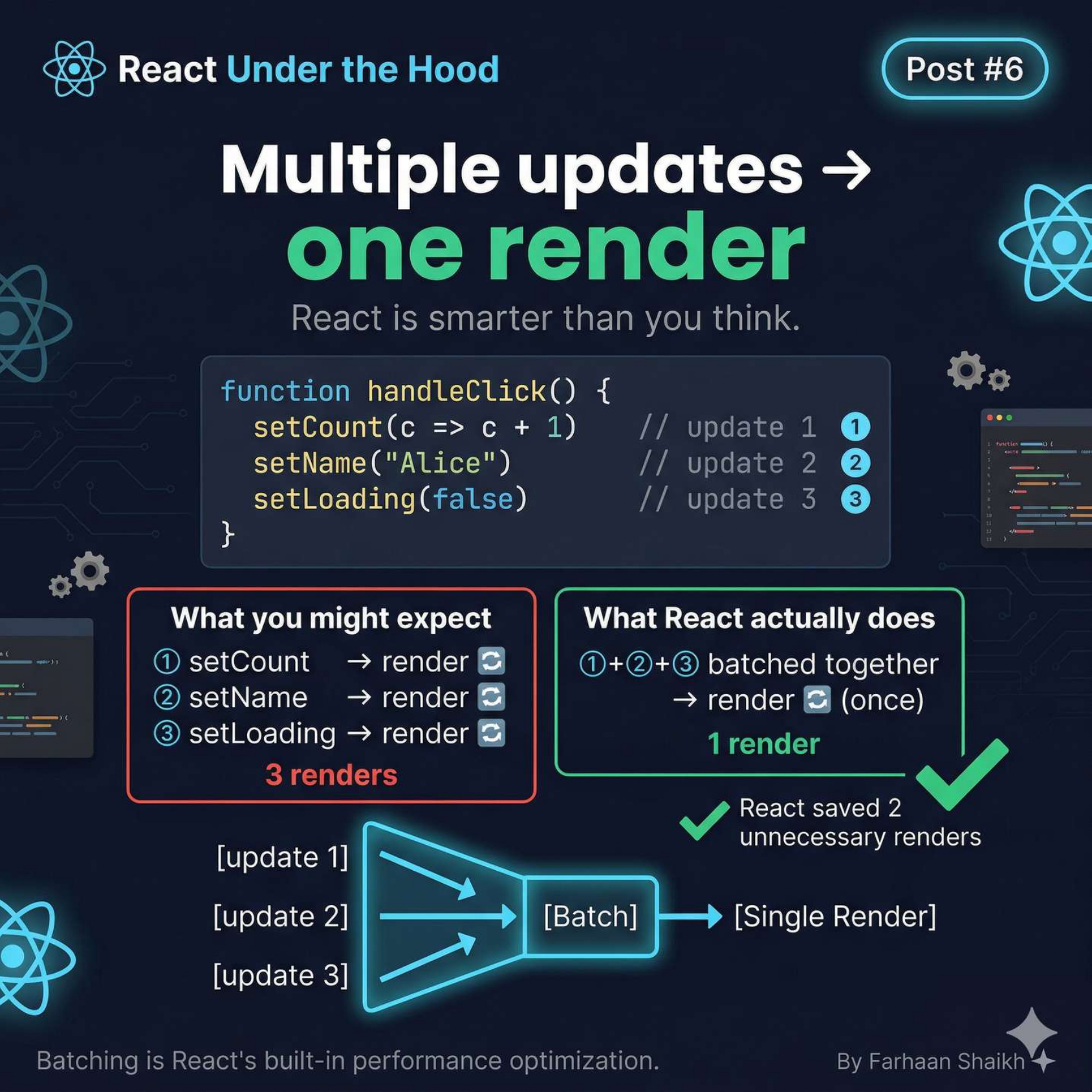
What YOU expect:
javascript
setCount(c => c + 1); // render
setName("Alice");     // render
setLoading(false);    // render
👉 3 updates = 3 renders
What React does:
👉 Groups them → 1 render
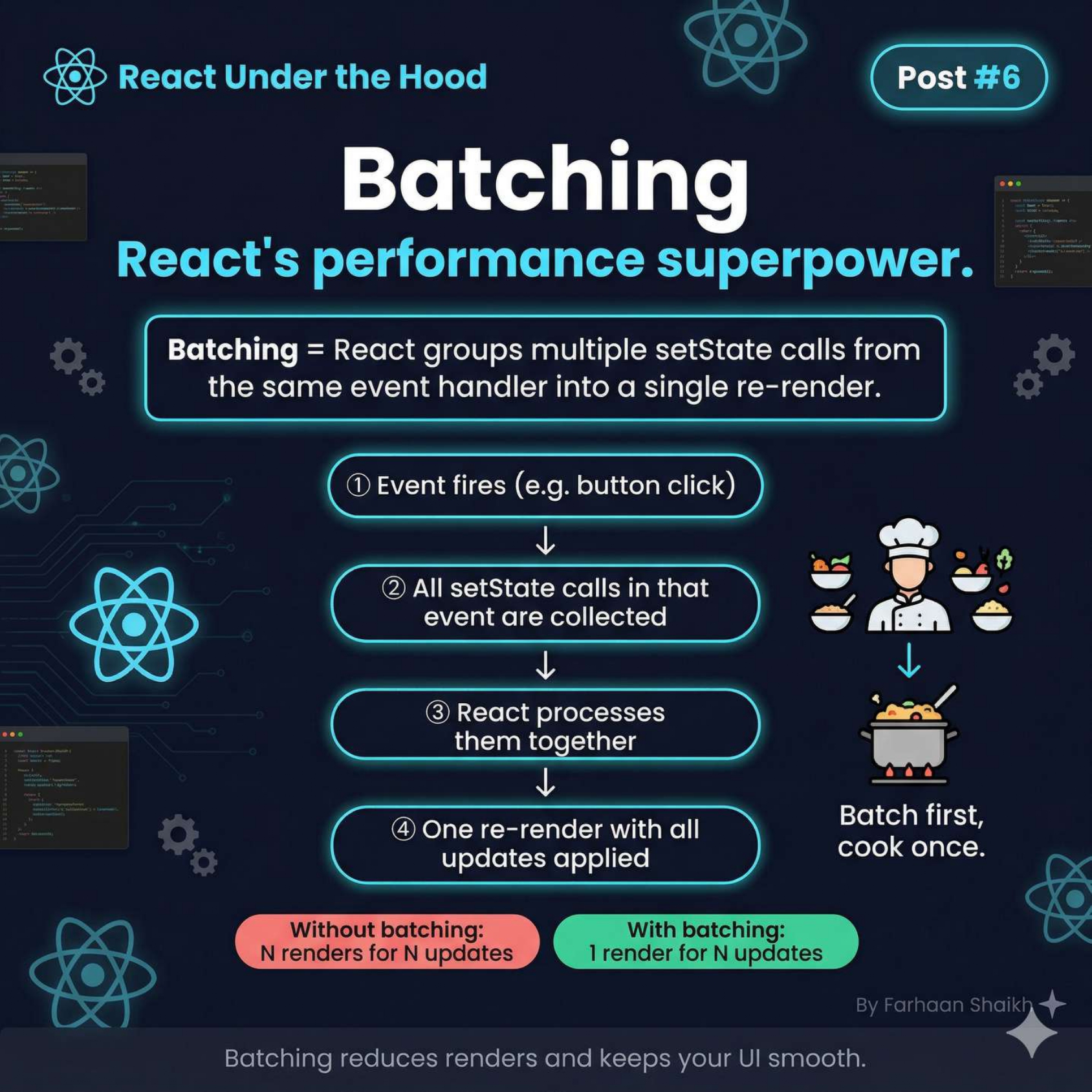
Flow:
- Event fires
- Updates collected
- Processed together
- Single re-render
👉 This is called batching
Why it matters:
- Better performance
- Fewer re-renders
- Smoother UI
👉 Think:
“Batch first, render once”
💥 The Classic Bug (Most Important Part)
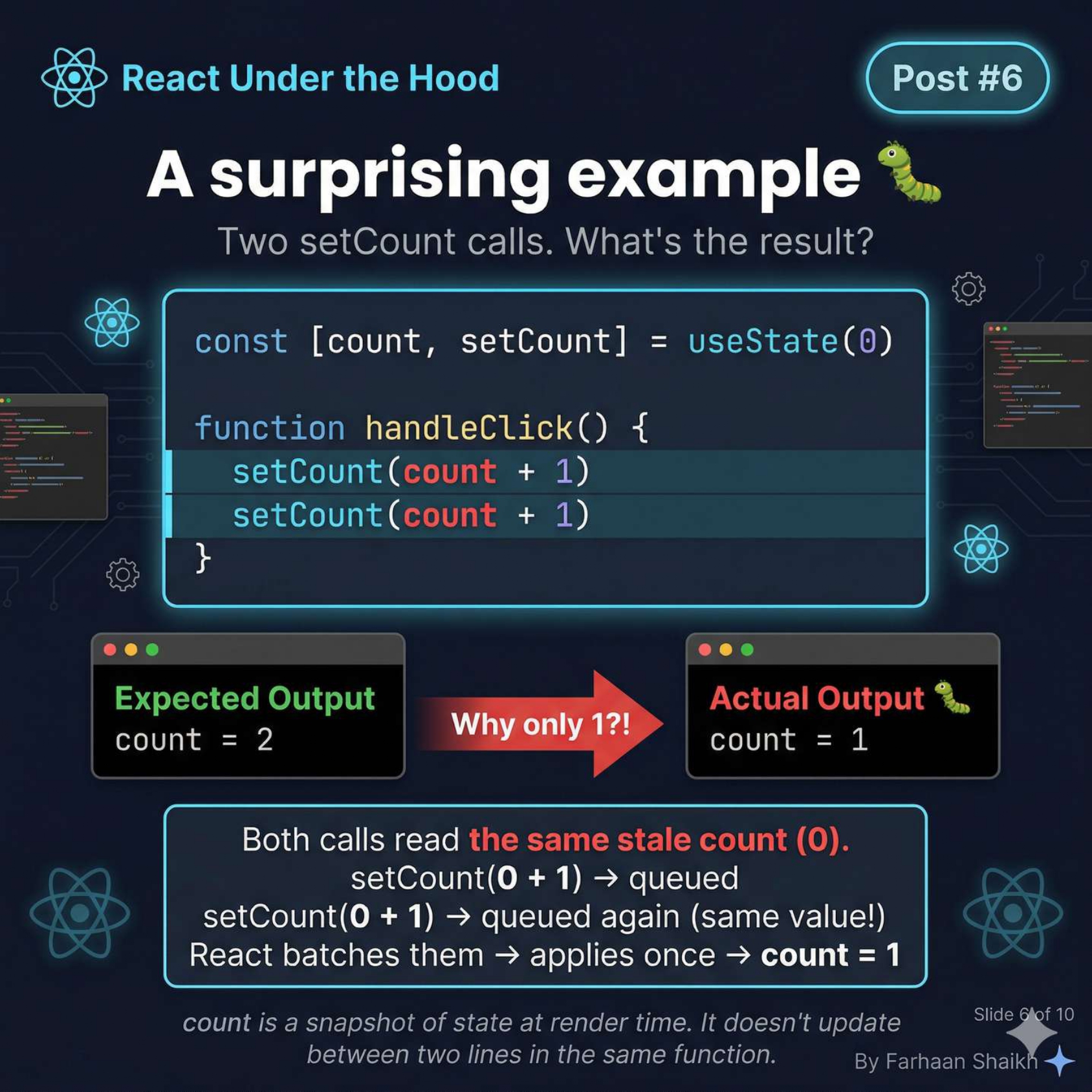
javascript
setCount(count + 1);
setCount(count + 1);
Expected:
javascript
count = 2Actual:
javascript
count = 1👉 Why?
From the diagram:
What happens internally:
javascript
setCount(0 + 1); // queued
setCount(0 + 1); // queued again
👉 Both updates = same value
👉 React batches → applies once
Result:
plain text
count = 1🧠 The Real Reason (Deep Insight)
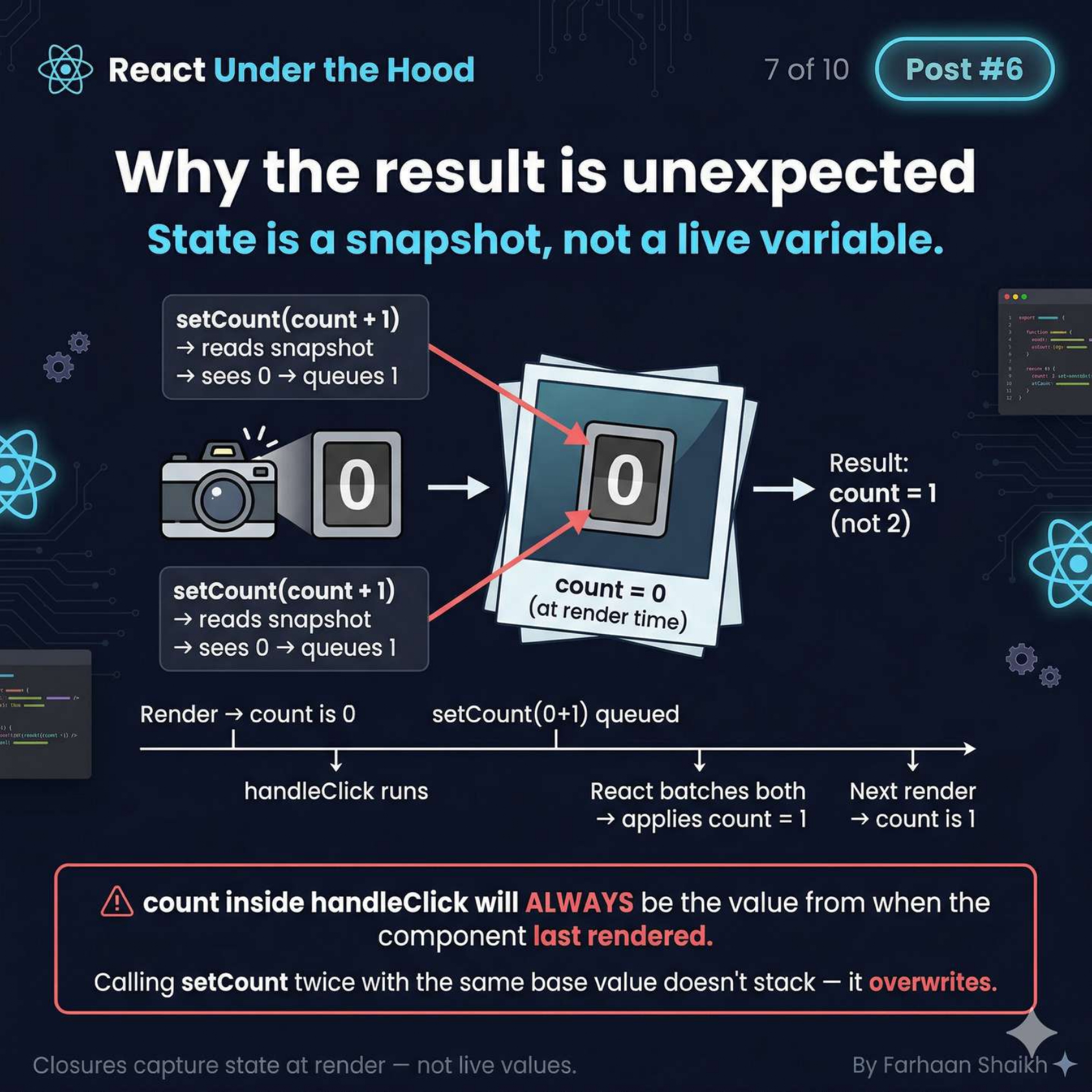
This is the BIGGEST mental shift.
Inside your function:
javascript
function handleClick() {
  console.log(count);
}
👉 count is NOT live
👉 It’s frozen at render time
Meaning:
- It does NOT update mid-function
- It does NOT reflect queued changes
👉 It’s just a snapshot.
One brutal truth:
🛠️ The Fix: Functional Updates
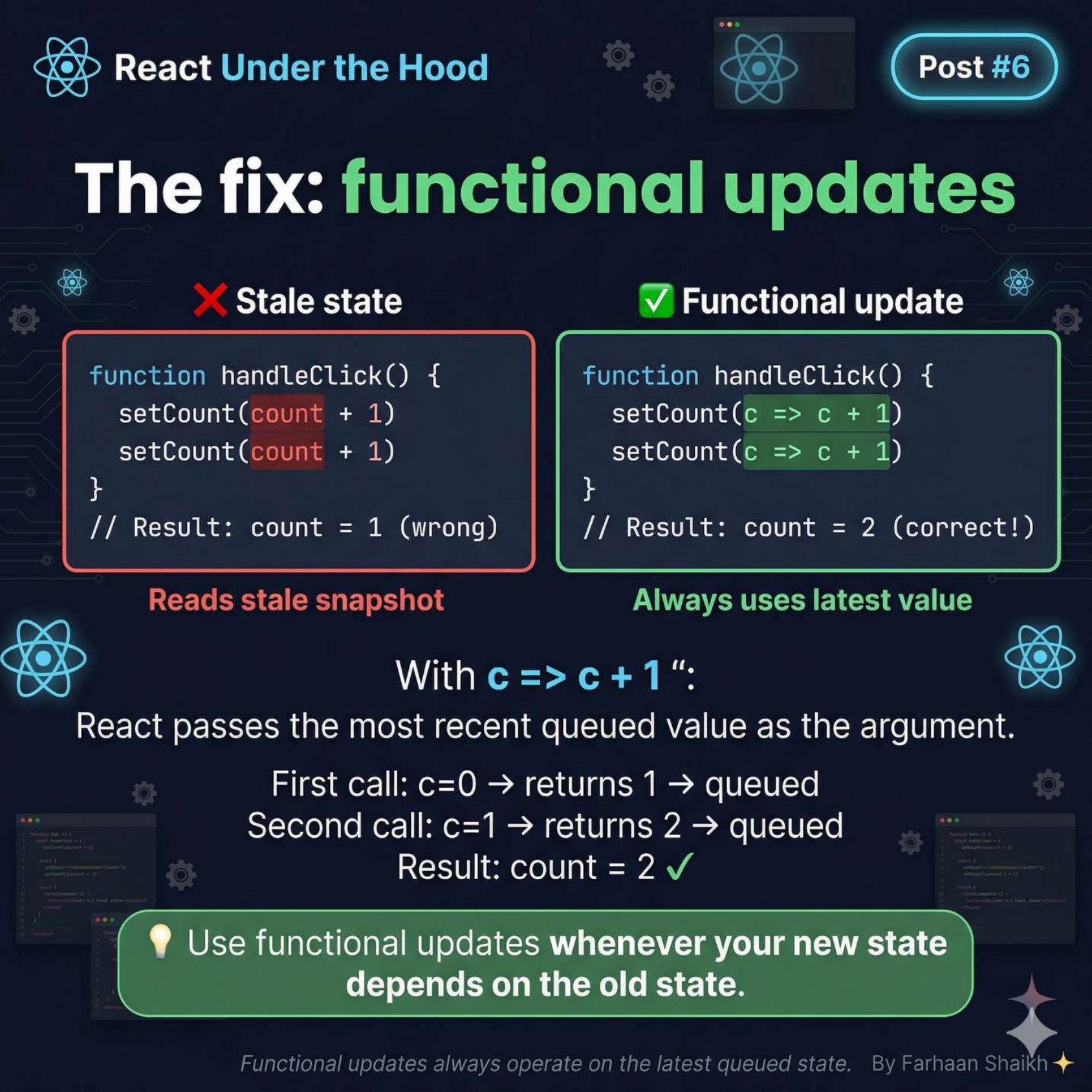
javascript
setCount(c => c + 1);
setCount(c => c + 1);
Now what happens:
- First call → c = 0 → returns 1
- Second call → c = 1 → returns 2
👉 React uses latest queued value
Result:
plain text
count = 2 ✅Why this works:
👉 So no stale data problem.
Golden Rule:
👉 Use functional updates when:
- Updating based on previous state
- Doing multiple updates
- Inside loops or async logic
⚡ React 18 Upgrade (Important)
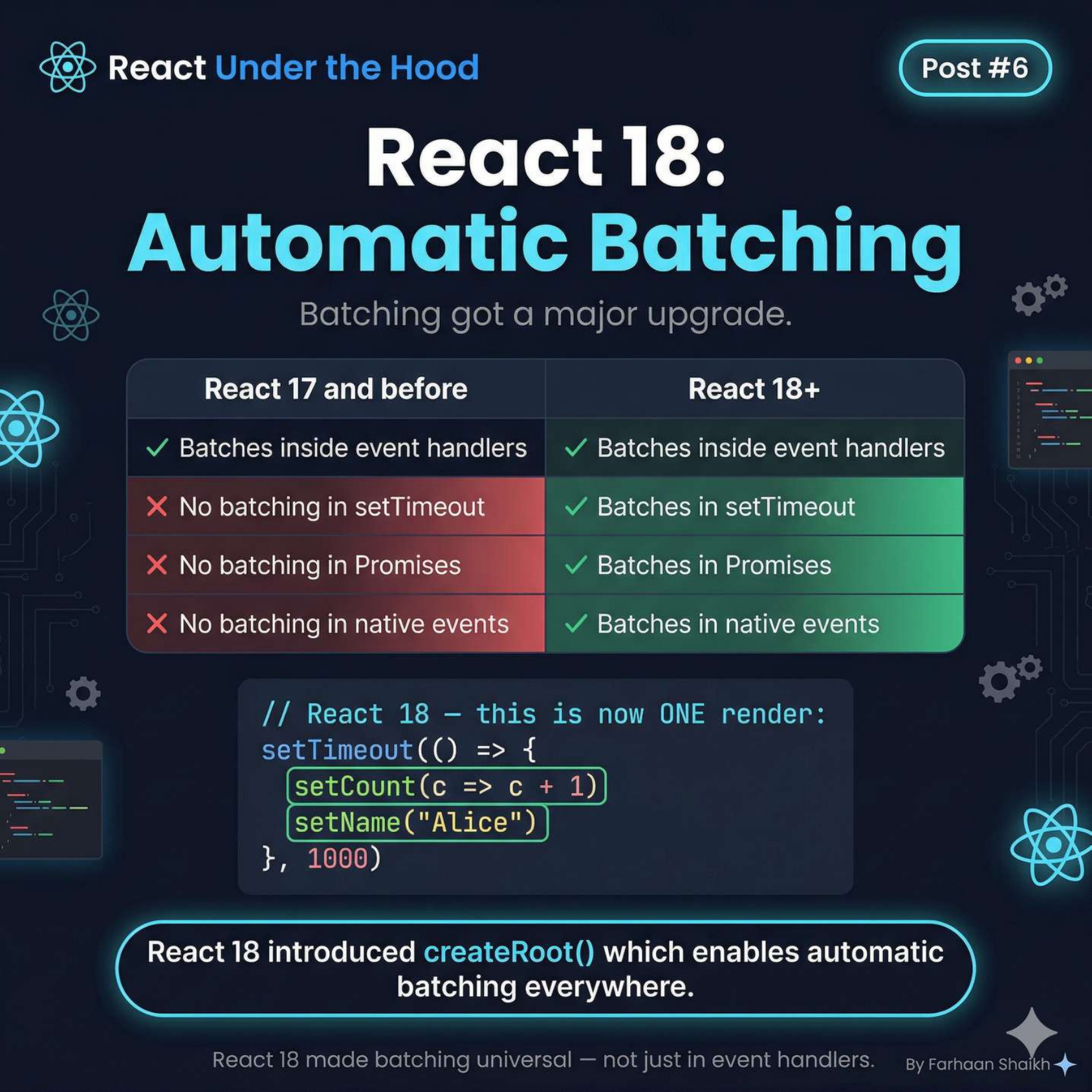
Before React 18:
- Batching only in event handlers
- Not in setTimeout, promises, etc.
After React 18:
👉 Batching works everywhere
javascript
setTimeout(() => {
  setCount(c => c + 1);
  setName("Alice");
}, 1000);
👉 Still ONE render
Why?
Because of:
javascript
createRoot()👉 This made batching universal.
🧠 Final Mental Model
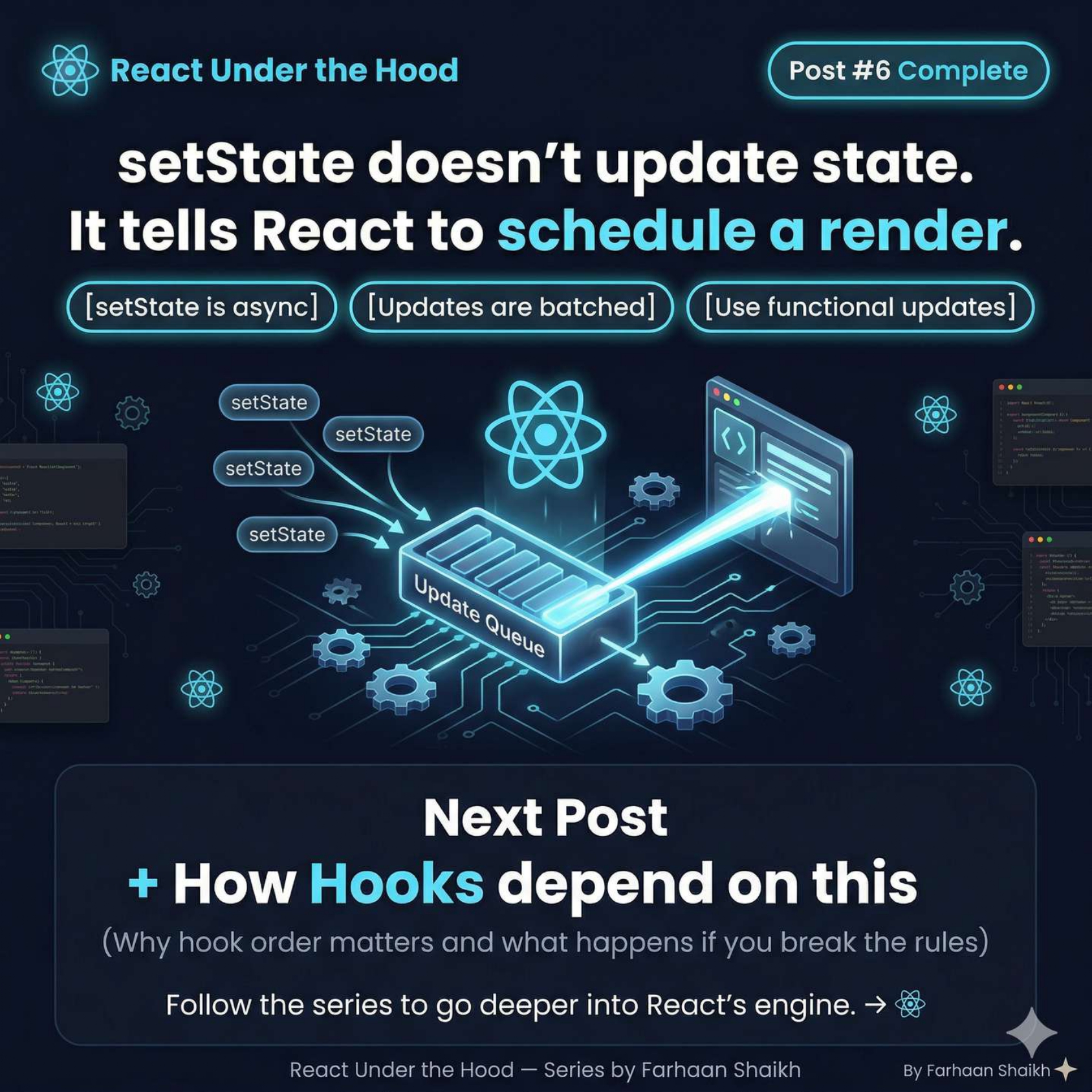
It tells React to schedule a render
Combine everything:
- setState → queues update
- React → schedules render
- Updates → batched
- State → updated on next render
🎯 Final Takeaways
- setState is async
- State is a snapshot, not live
- Multiple updates are batched
- React controls timing
- Functional updates fix stale state
One-line clarity:
👉 React doesn’t update state instantly.
👉 It schedules it intelligently.
🔥 Mindset Shift
❌ “setState changes value immediately”
✅ “setState schedules a future render”
🚀 What You Just Learned
You now understand:
- Why console logs show old values
- Why double updates don’t stack
- How batching works internally
- Why React feels “delayed”
- How to write correct state logic
🔜 Next Post Teaser
👉 How Hooks depend on this system
- Why hook order matters
- Why breaking rules crashes React
- How React tracks hooks internally