
Using index as keys
Why using index as key causes subtle bugs, and how to fix it using stable identities.
🧩 Introduction

You’ve probably done this:
javascript
items.map((item, index) => (
  <li key={index}>{item}</li>
));
It works.
No errors. No warnings (sometimes).
So what’s the problem?
👉 This is one of the most dangerous patterns in React.
Not because it crashes…
But because:
👉 Your UI can silently break.
🧠 The Core Problem
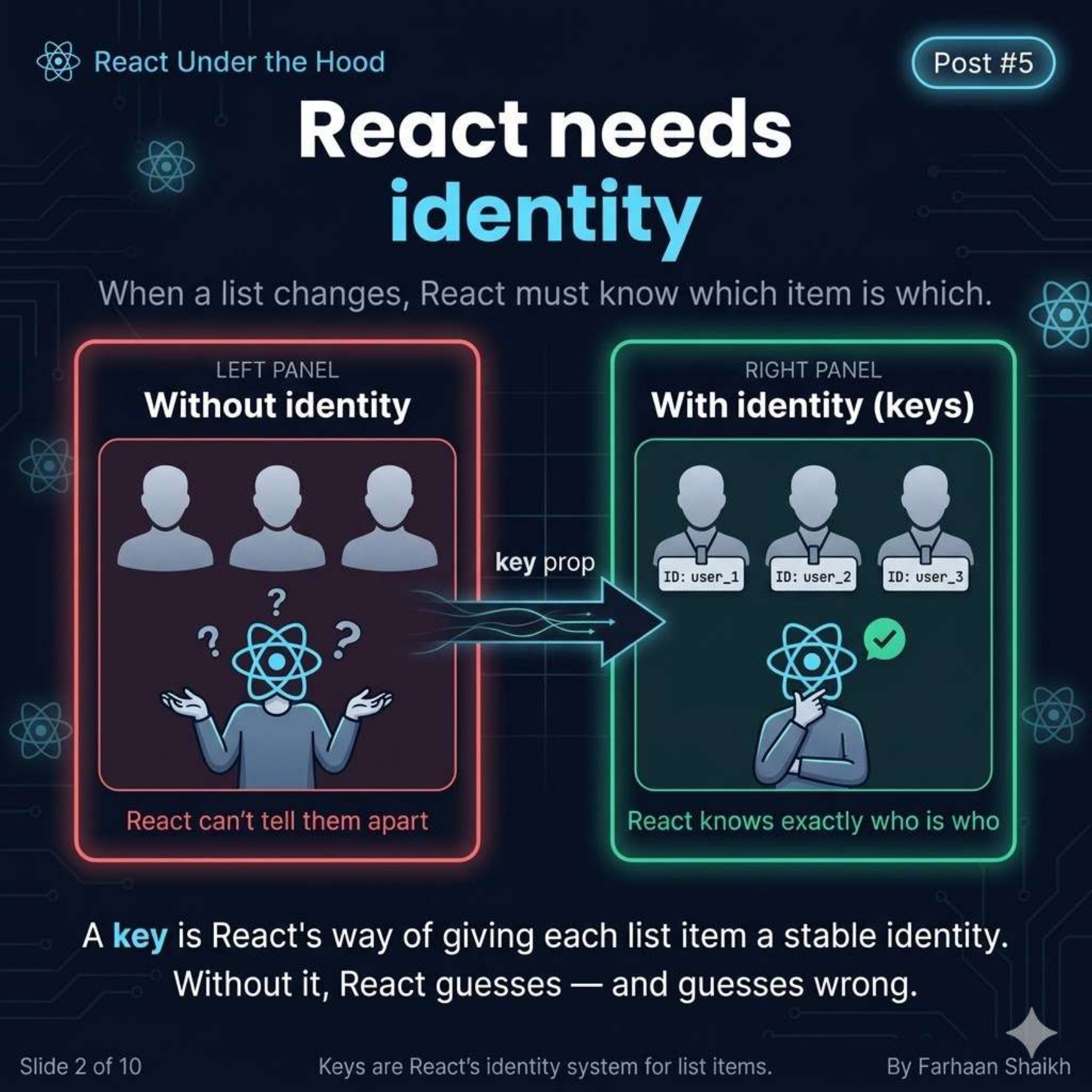
React doesn’t care about:
- Variables
- Values
- Content
👉 React cares about identity
Without identity:
👉 React is just guessing.
And guesses wrong.
🧩 What “Key” Actually Means
A key is NOT:
❌ Just a unique number
❌ Just something to remove warnings
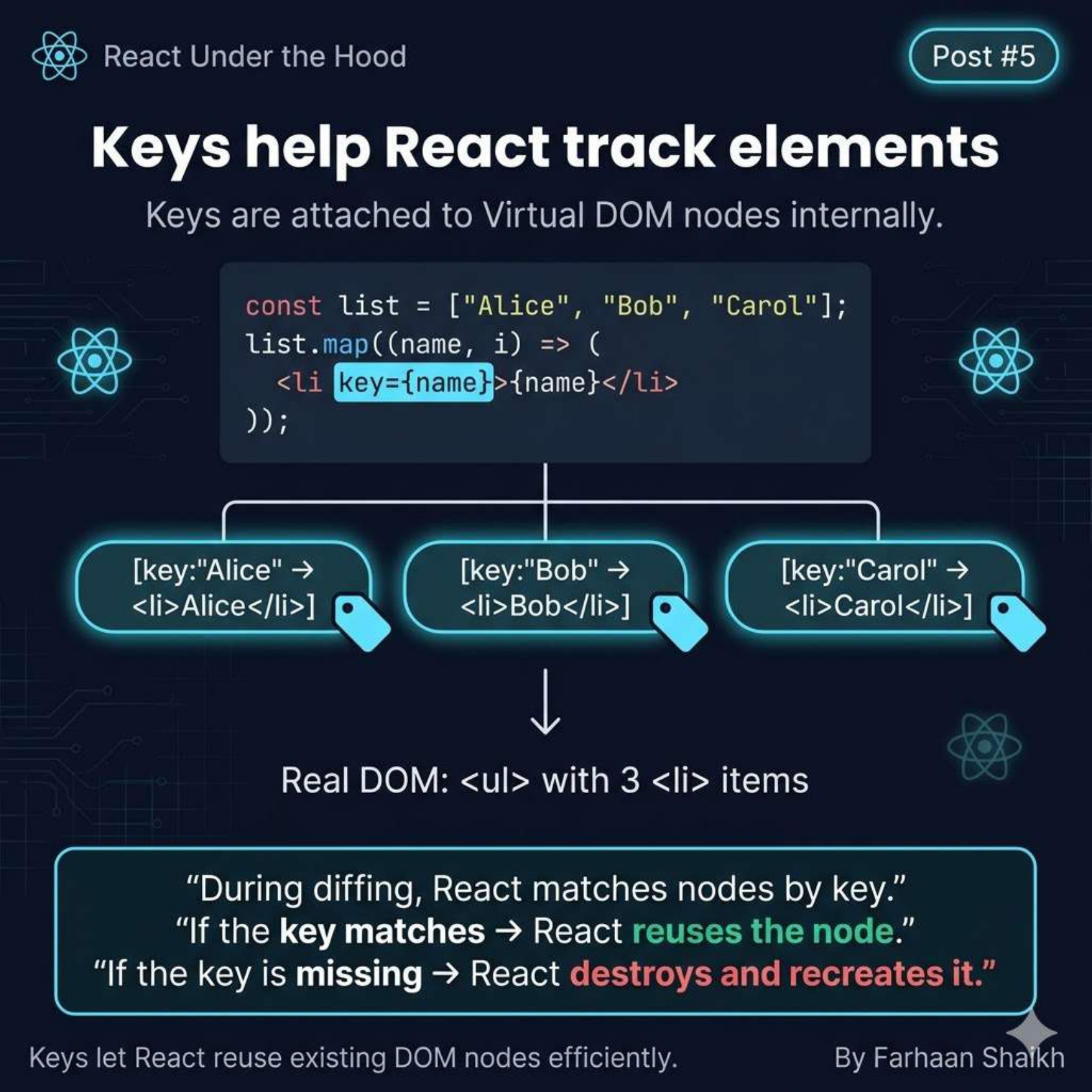
👉 A key is:
Example:
javascript
<li key="alice">Alice</li>
<li key="bob">Bob</li>
<li key="carol">Carol</li>
Internally:
plain text
[key: "alice"] → node
[key: "bob"] → node
[key: "carol"] → node
During diffing:
👉 React matches nodes using keys
- Same key → reuse node
- Missing key → destroy + recreate
👉 This is EVERYTHING.
⚠️ What Happens Without Keys
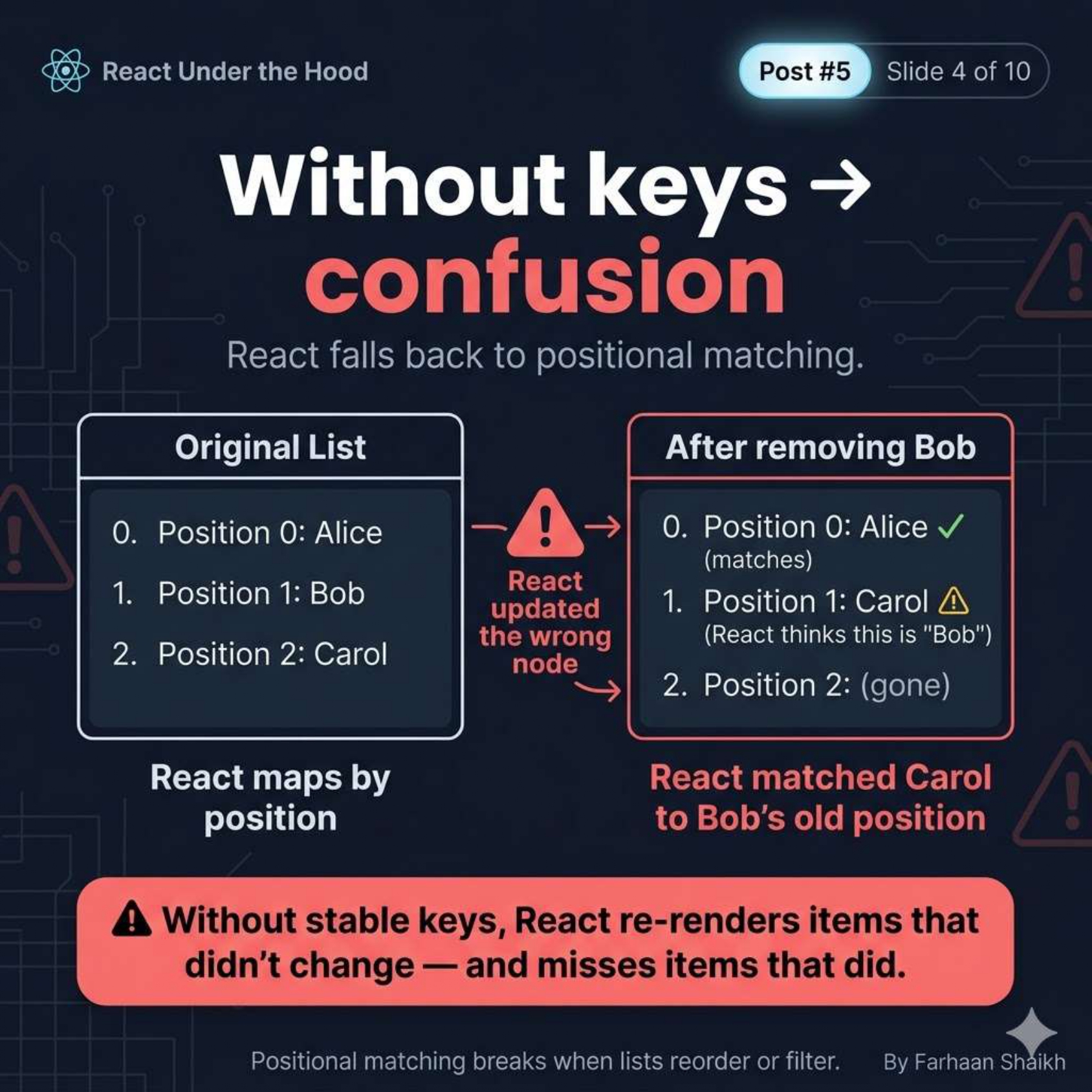
👉 React falls back to position-based matching
Example:
Initial list:
plain text
[ Alice, Bob, Carol ]After removing Bob:
plain text
[ Alice, Carol ]What React sees (without keys):
plain text
Position 0 → Alice ✅
Position 1 → Carol ❌ (React thinks this is Bob)
👉 React doesn’t know Carol moved
👉 It thinks Bob changed
Result:
- Wrong updates
- Broken UI
- Unexpected behavior
👉 This is called positional diffing
🚨 The Index Key Problem
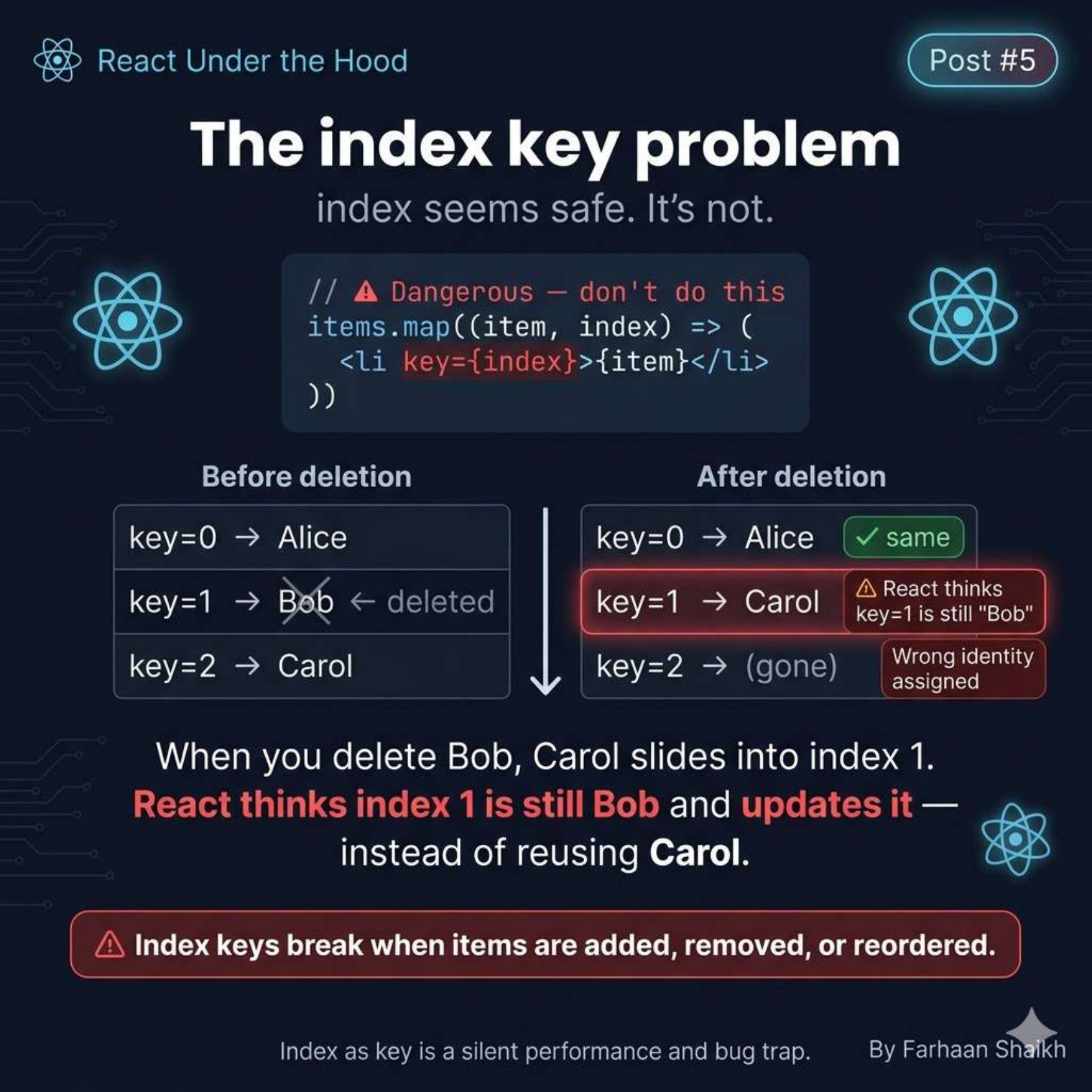
Example:
javascript
<li key={index}>{item}</li>Initial:
plain text
0 → Alice
1 → Bob
2 → Carol
Delete Bob:
plain text
0 → Alice
1 → Carol
What React thinks:
plain text
key=1 → still Bob👉 So React updates the wrong node instead of reusing Carol
One-line truth:
👉 Index is not identity
👉 It’s position
And position changes.
💥 Real Bug: Inputs Breaking
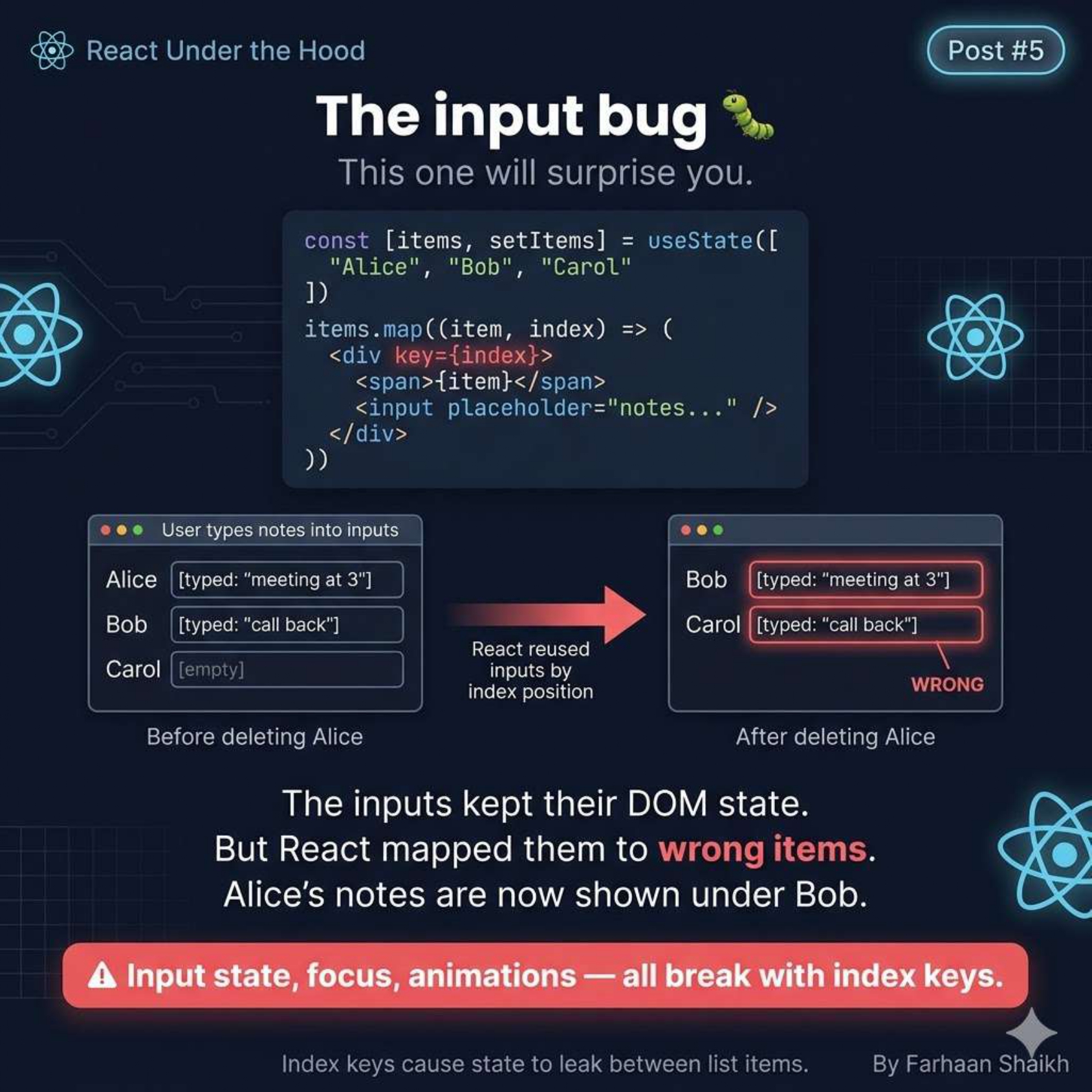
Scenario:
javascript
items.map((item, index) => (
  <div key={index}>
    <span>{item}</span>
    <input />
  </div>
));
User types:
plain text
Alice → "meeting at 3"
Bob → "call back"
Now delete Alice.
What happens:
👉 React reuses DOM nodes by position
So:
- Bob gets Alice’s input
- Carol gets Bob’s input
Result:
❌ Data appears under wrong items
❌ UI looks “corrupted”
👉 This is NOT a visual bug
👉 This is a state corruption bug
🔄 Reordering Disaster
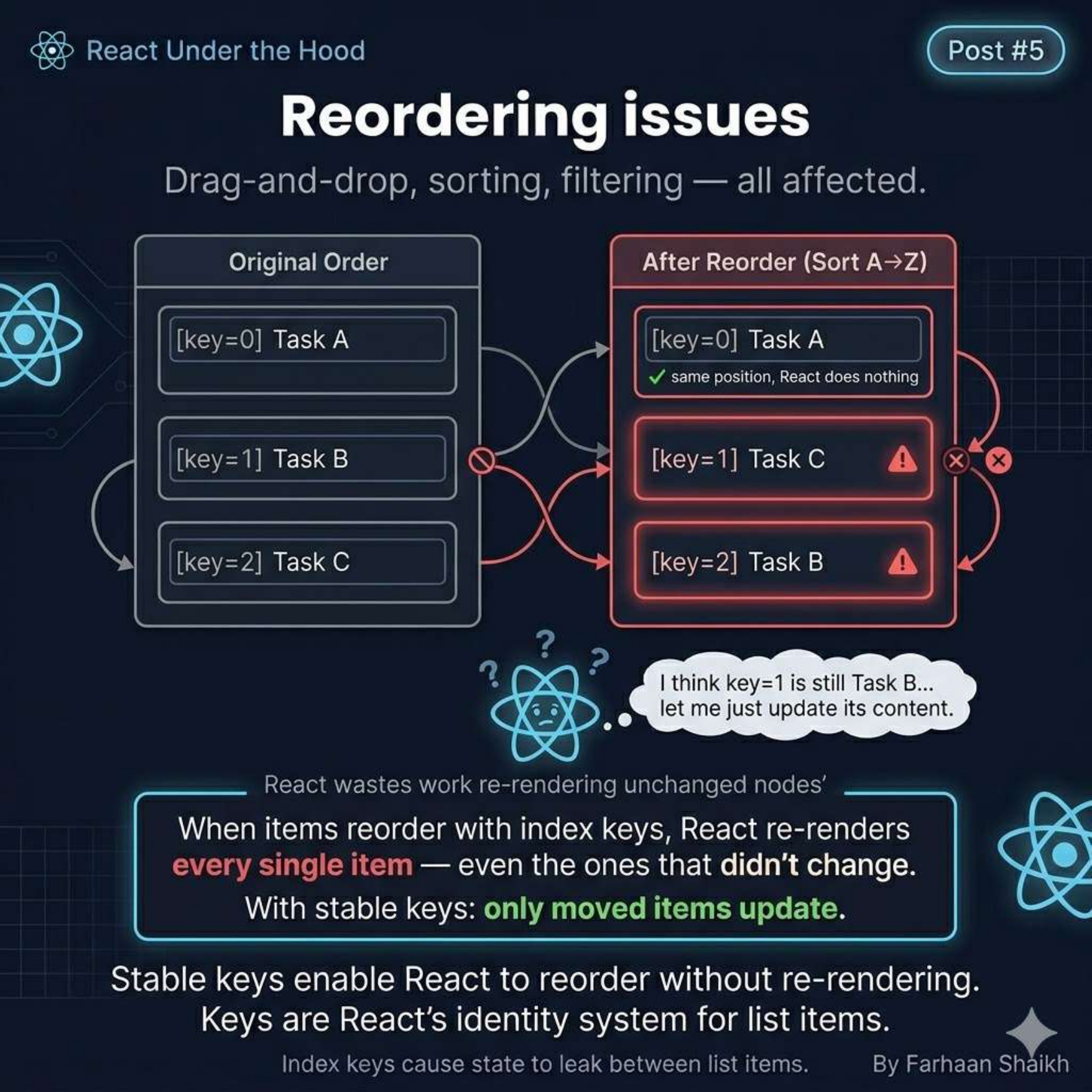
With index keys:
👉 React re-renders EVERYTHING
Even items that didn’t change.
With proper keys:
👉 React only moves nodes
Difference:
- Index keys → full re-render
- Stable keys → minimal updates
👉 This directly impacts performance.
🧠 The Stable Key Rule
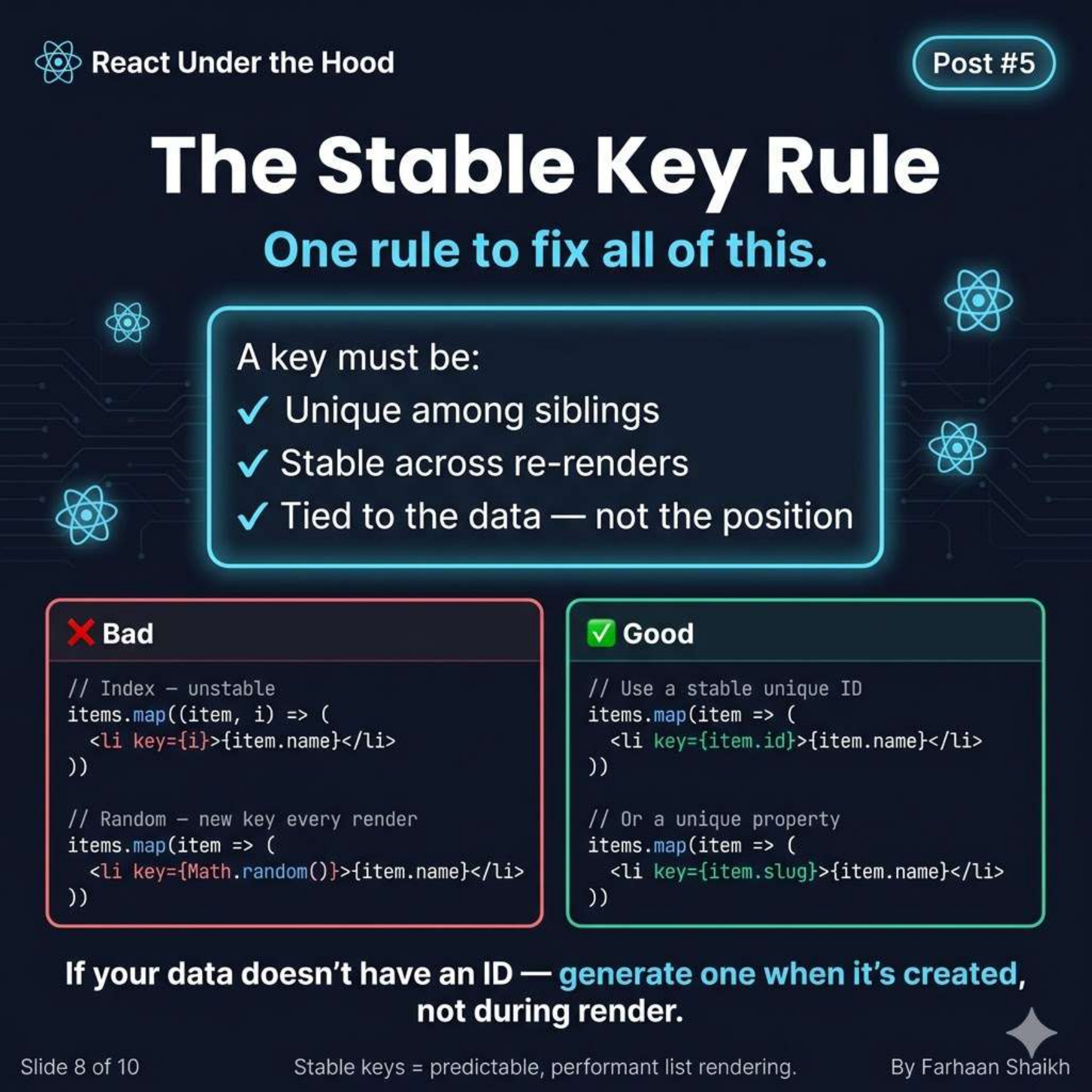
A key must be:
✅ Unique among siblings
✅ Stable across renders
✅ Tied to the data (not position)
Bad:
javascript
key={index}
key={Math.random()}
Good:
javascript
key={item.id}
key={item.slug}
👉 If your data doesn’t have IDs:
Generate them when creating data, not during render.
🧩 Best Practices
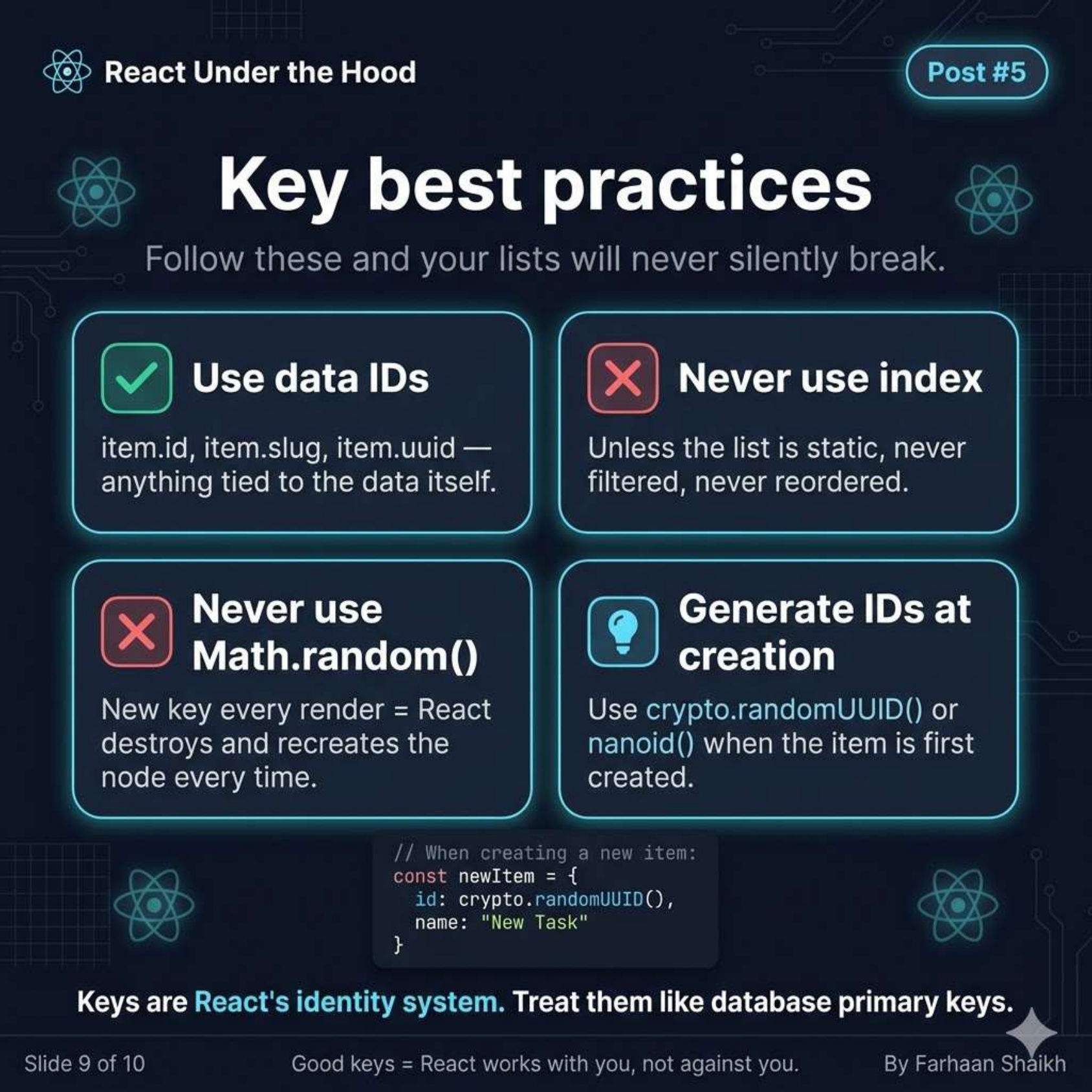
✅ Use:
- Database IDs
- UUIDs
- Slugs
❌ Avoid:
- index
- Math.random()
Important:
👉 Keys should behave like database primary keys
🧠 The Deep Insight

👉 Keys are React’s memory
Not a warning.
Not a syntax thing.
👉 They are how React remembers:
- Which component is which
- Which state belongs where
- Which DOM node to reuse
🎯 Final Takeaways
- React uses keys to track identity
- Without keys → positional matching
- Index keys break identity
- Leads to UI bugs + state corruption
- Stable keys = predictable UI
One-line clarity:
👉 React doesn’t track items. It tracks keys.
🔥 Mindset Shift
❌ “Keys are optional”
✅ “Keys define identity”
🚀 What You Just Learned
You now understand:
- Why index keys are dangerous
- How React diffing actually works
- How identity drives rendering
- Why bugs feel “random” with bad keys
🔜 Next Post Teaser
👉 How React Decides When to Re-render
- State vs props
- Batching
- Render triggers